How to Choose Pantry Label Makers for Home Organization
A label maker earns its drawer space when your household repeatedly labels and relabels pantry bins, shelves, cables, school supplies, or shared storage. If you have not settled that buy-or-skip question, start with whether a label maker is worth it for your organization routine. The best format is not the one with the longest feature list: it is the one whose controls, tape supply, label width, power, and removal needs match the jobs you will actually repeat.
As an Amazon Associate, The Good Home Doc may earn from qualifying purchases.
Quick decision before shopping
First measure the available space, identify the setup or surface constraints, and decide who will maintain the item. Skip the category if it blocks access, conflicts with the manufacturer's instructions or lease, or adds more upkeep than the problem justifies.
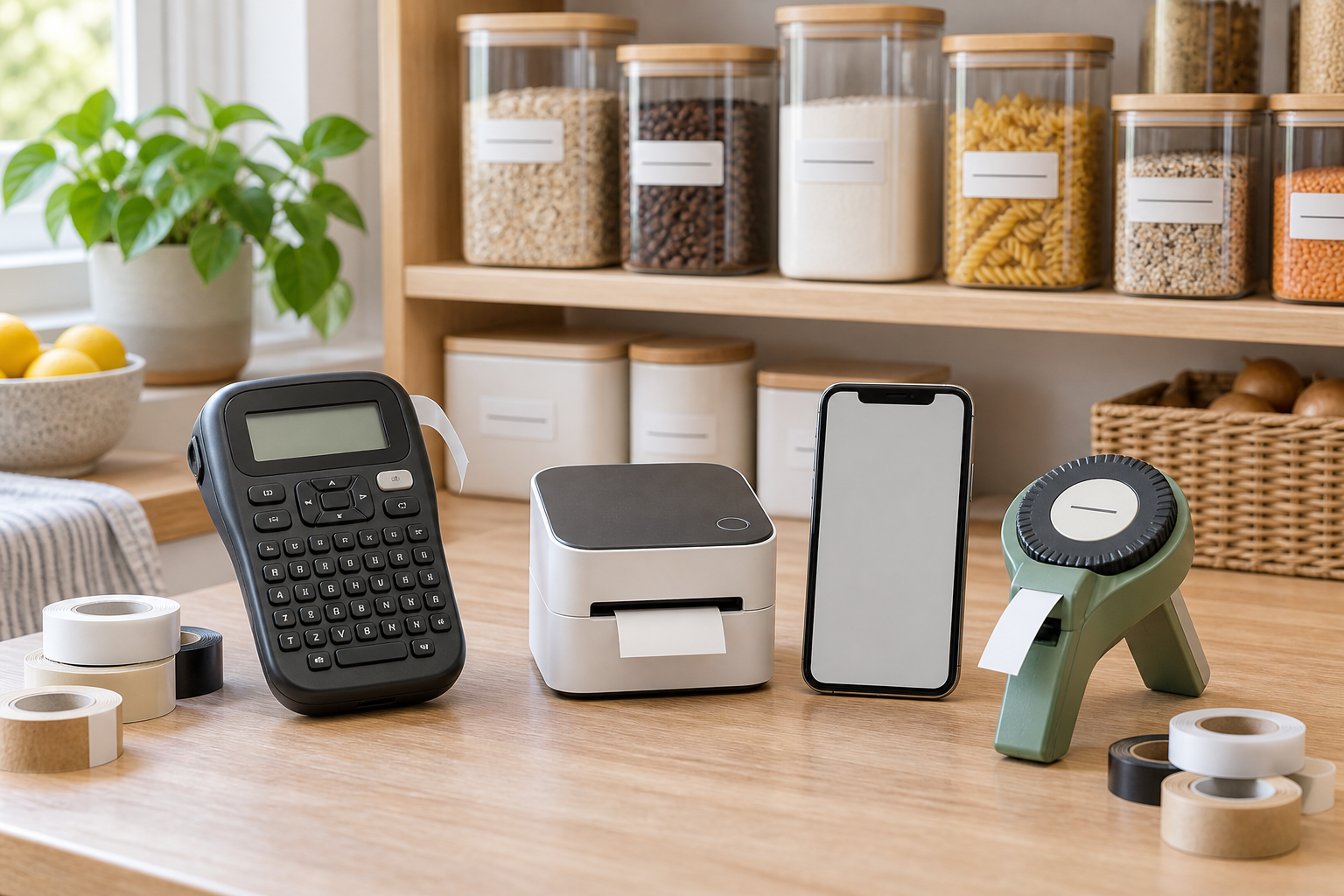
Compare the format that fits your labeling routine:
- Browse category: Compare handheld keyboard label makersCheck supported tape widths, screen preview, cutter, power source, and refill availability.
- Browse category: Compare app-connected label makersCheck the required phone, app, account, permissions, and future software support.
- Browse category: Compare manual embossing label makersConfirm character wheel, tape compatibility, cutting, legibility, and grip effort.
These are category searches, not tested rankings. Confirm current tape compatibility, included supplies, power requirements, software support, surface guidance, care, warranty, and return terms before buying.
This guide compares household label-maker formats rather than naming model winners. Tape lines, apps, batteries, and included cartridges can change, so verify current product documentation and refill supply before choosing.
Quick Best-Fit Guide
- Handheld keyboard model: best when anyone should be able to make a short label without pairing a phone.
- App-connected printer: best for varied layouts or repeated label sets when phone dependence is acceptable.
- Manual embossing model: best for occasional short labels when simple mechanics matter more than speed.
- No dedicated device: best when labels are rare, temporary, or handled easily with a marker and removable tape.
Start With the Labels You Actually Need
List five real jobs before comparing machines. A pantry bin may need a short, readable label that survives wiping. A freezer container may need a removable system that matches the container maker's guidance. Cables benefit from narrow flags or wraps. School and shared-storage labels may need frequent changes.
Measure the flat area where each label will sit. A wide printer does not help if the jar, bin lip, shelf edge, or cable tag only has a narrow usable surface. Check whether labels must curve, flex, tolerate moisture, or peel cleanly. Do not assume one tape material suits every surface or temperature.
Handheld Keyboard Label Makers
A physical keyboard and built-in screen keep the workflow self-contained. This is convenient for a shared household because a label can be made without installing software. The tradeoff is a smaller preview, slower text entry on compact keys, and fewer layout choices.
Check before buying: supported tape families and widths, keyboard layout, display preview, cutter type, margin settings, batteries or adapter requirements, and whether the current refill line is easy to obtain. Confirm what tape, batteries, or adapter is actually included.
App-Connected Label Printers
A phone-based editor can make repeated labels, templates, icons, and layout changes easier. It also moves part of the product into software. The device may depend on a compatible phone, current app, Bluetooth permissions, account, or cloud features. Decide whether that dependence works for everyone who needs to label.
Review the app's current compatibility, privacy disclosures, template behavior, and whether basic printing works without an account or internet connection. A polished editor is a nice-to-have only after tape supply, print width, power, and surface fit are settled.
Manual Embossing Label Makers
A manual wheel presses raised characters into compatible tape without batteries or an app. It can suit short pantry, drawer, or utility labels, but character selection and squeezing take longer. Fonts, symbols, tape widths, and alignment are usually limited.
Try the grip and character wheel if possible. Confirm that replacement tape matches the tool exactly and that the cutter produces a usable edge. This format is a poor fit for long instructions, frequent bulk labeling, or anyone who finds repeated hand pressure uncomfortable.
Tape Compatibility Is the Real Buying Decision
The machine commits you to a tape system. Record the exact cartridge family, supported widths, available materials, roll length, and typical waste at the beginning and end of a label. Compare the cost of the device plus the amount of tape you expect to use—not the device alone.
Use manufacturer documentation for claims about water exposure, freezer use, heat, dishwashing, outdoor use, food contact, or residue. A label on the outside of a food container is not evidence that the label itself is approved for food contact. Test removal on an inconspicuous spot when the surface maker permits it, especially on finished wood, paint, paper, soft plastic, or valued containers.
Power, Cutting, and Everyday Friction
Battery-powered models are portable but add battery upkeep. Rechargeable models need a charging location and a plan for battery aging. Plug-in models need an outlet near the work area. Check whether an adapter or charging cable is supplied and follow the maker's power instructions.
An automatic cutter can speed repeated batches, while a manual cutter keeps the design simpler. Neither matters if labels are hard to start, margins waste tape, the screen is difficult to read, or the device is awkward to store. If several people will use it, favor a workflow they can repeat without a tutorial.
Must-Haves Before Nice-to-Haves
Must-Haves
- A documented tape family, width range, and material suited to the intended surface.
- Refills that are realistically available within your budget.
- Readable controls or a compatible app that actual users can access.
- A power method and storage spot that fit the household routine.
- Clear application, cleaning, and removal instructions.
Nice-to-Haves
- Saved templates for repeated pantry or school labels.
- Multiple text sizes, symbols, borders, or alignment options.
- A preview that shows the full label before printing.
- An easy-peel backing or cutter that suits batch work.
Who Should Skip a Label Maker
- Households that only need a handful of temporary labels each year.
- Anyone unwilling to keep the correct refill tape on hand.
- People who need labels for a demanding environment but cannot verify compatible tape and surface guidance.
- Shared homes where the only usable printer depends on one person's phone or account.
- Anyone expecting labels to replace safe food-storage practices, cleaning, or decluttering.
Buying Checklist
- Write down five recurring labels and measure their usable surfaces.
- Choose standalone keyboard, app-connected, or manual embossing workflow.
- Verify exact tape family, supported widths, materials, and refill supply.
- Check power, included accessories, cutter, margins, and storage footprint.
- Review surface, temperature, moisture, application, and removal guidance.
- Estimate the device-plus-tape cost for your likely use.
- Confirm software, privacy, warranty, and return terms where applicable.
Bottom Line
A handheld keyboard model is the most broadly accessible choice for quick shared-household labels. An app-connected printer is better when layout flexibility and repeat batches justify phone dependence. A manual embosser suits short, occasional labels with minimal electronics. Whichever format you choose, refill supply and surface compatibility matter more than decorative features.